
Free vs paid, practically
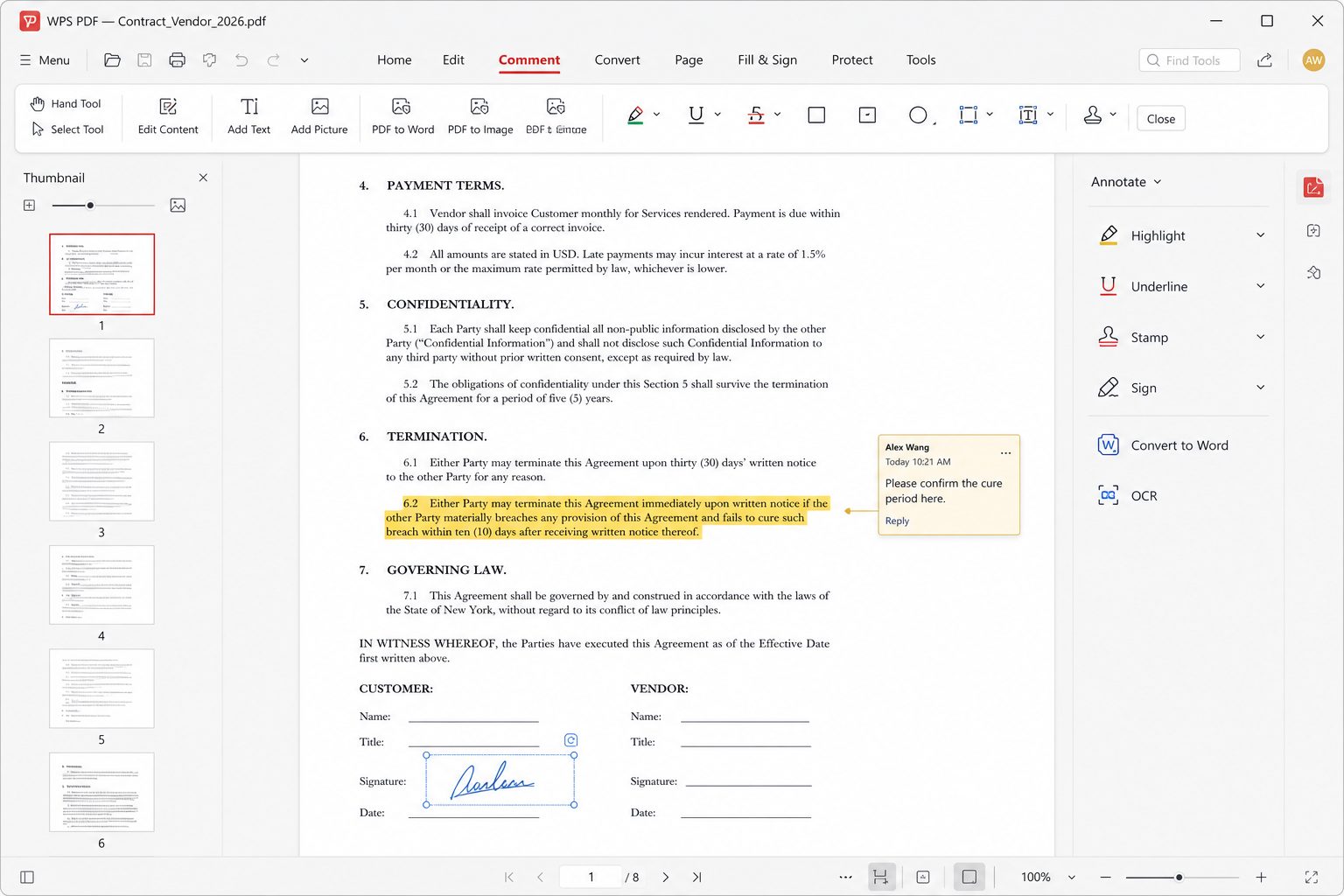
You can view, annotate (highlight/comment), and do light conversion on many builds. Independent 2026 reviews (for example The Business Dive) score WPS well on PDF UX but ding the free tier: ads, and advanced edit/OCR/e-sign sitting on Pro (~$36/year in that roundup) or AI bundles. Prices move — check checkout on wps.com.
OCR and scans
Two flavors show up in product docs: convert a scan to an editable PDF, and extract text. Accuracy depends on scan DPI and language. For a crumpled receipt, expect cleanup. For a straight 300 DPI English contract, it is often good enough to avoid retyping.
Convert without wrecking the layout
PDF → Word is the #1 support fantasy. Tables, multi-column magazines, and vector logos will still wobble. Our workflow:
- Try WPS convert, then immediately Save As a new DOCX (never overwrite the PDF).
- Fix styles (Normal vs headings) before you fix individual fonts.
- For a one-page form, sometimes it is faster to rebuild than to un-nest 40 floating text boxes.
Walkthrough: PDF to Word without the layout hangover.
Forms and signatures
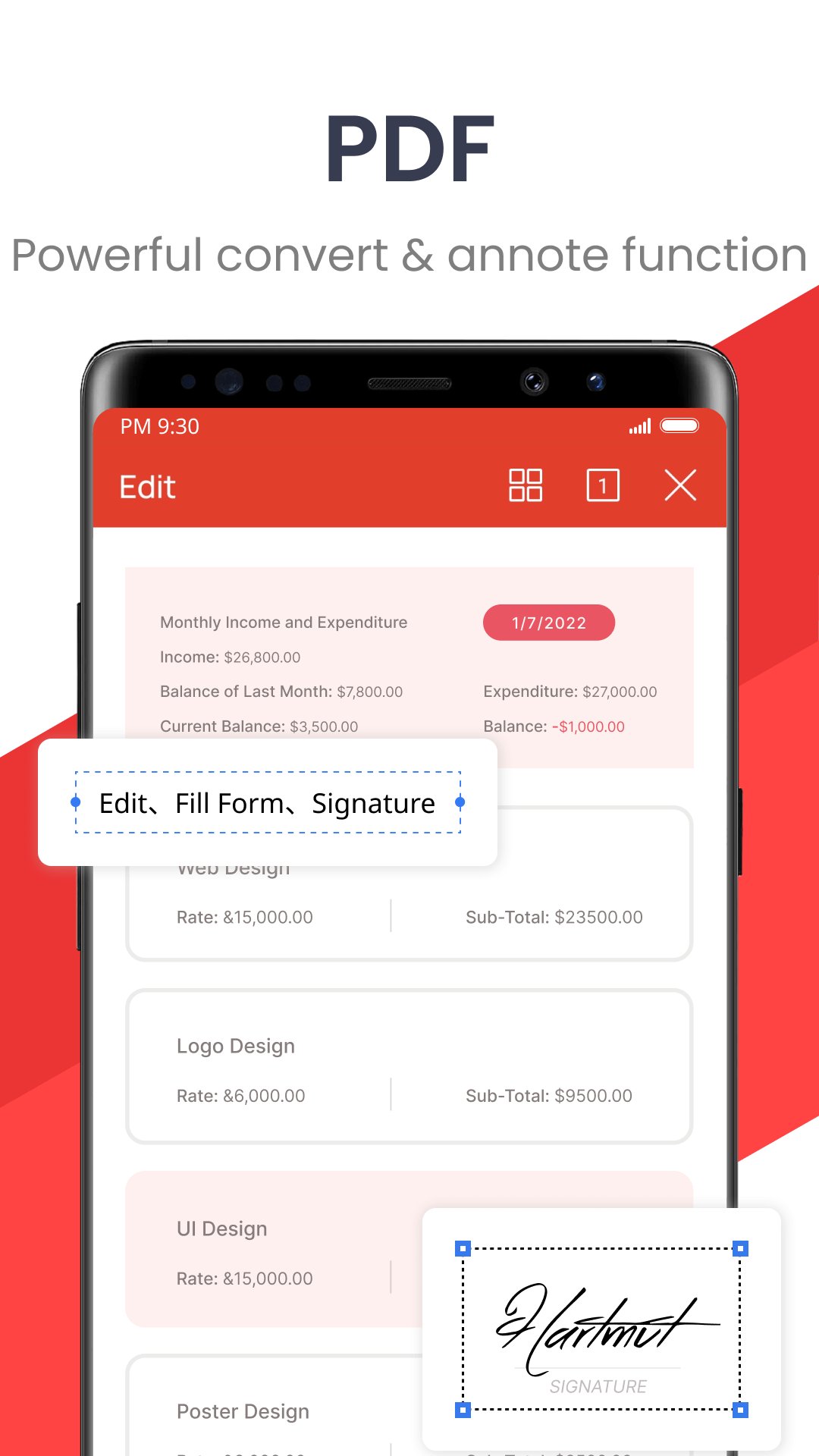
Fill-form and e-sign exist in the PDF module and are highlighted on mobile screenshots. Legality of an e-sign depends on your country and the counterparty — WPS drawing a squiggle is not automatically a qualified electronic signature under eIDAS or ESIGN. When in doubt, use the signing service your lawyer named.
Stop making PDF the default
If Edge or Acrobat should own PDFs, do not fight only in Windows Settings. Also disable file-format connection in WPS (Settings → Component Management). Guide: restore your PDF app.
PDF jobs vs the plan you need
| Job | Usually free-path | Often Pro / paywall |
|---|---|---|
| Read, search, highlight, comment | Yes | — |
| Export PDF from Writer/Spreadsheet | Yes | — |
| Fill a simple form, draw a signature | Sometimes | Locked mid-task on some builds |
| OCR a scan to searchable/editable text | Trial / quota | Yes |
| Edit existing PDF text in place | Light only | Yes |
| Merge / split / batch convert | Limited | Yes |
| Chat/summarize PDF with AI | Demo | AI SKU |
2026 third-party snapshots put personal Pro near $35.99/year. Confirm live checkout. If you OCR two contracts a year, paying is optional; if you scan invoices daily, Pro is cheaper than an hour of retyping.
Scan → OCR → do not trust it blindly
- Photograph on a desk with even light. Avoid shadows across numbers.
- Aim for about 300 DPI equivalent. Tiny receipts need to be closer to the camera.
- Run OCR in the language the page is actually in. Wrong language pack = garbage.
- Spot-check totals, names, and dates. OCR loves to turn 8 into 3 and $ into S.
- Save the searchable PDF and keep the photo. Audits want the image.
When not to convert to Word
Magazine layouts, government multi-layer forms, vector logos on photos, and anything with 40 floating text boxes. Rebuild or keep PDF and fill/sign. Conversion is reconstruction. Walkthrough: PDF to Word.
Signatures are UX, not automatically law
A drawn squiggle in WPS is evidence you touched a file. It is not automatically a qualified electronic signature under eIDAS, nor “the” ESIGN workflow your counterparty named. If a bank or court specified DocuSign/Adobe Sign, use that. For an internal “I approve this PDF,” a typed name + date in a form field is often clearer than a mouse scribble.
Match the PDF job to the tool
Reading a paper: any viewer. Commenting on a draft: WPS annotate is enough. Editing a clause in a born-digital PDF: Pro-level edit or go back to the DOCX. OCR of a lease photo: Pro or a dedicated OCR. Signing a bank form that specifies a vendor: that vendor. WPS is a toolkit, not a court.
Annotation without wrecking the file
Highlight and comment are overlay; they do not change the glyphs. Text edit in place does change glyphs and can reflow a paragraph onto a stamp. If the PDF is evidence, annotate, do not edit. Save a copy named contract-comments.pdf and keep the original hashable.
Merge, split, extract
Merge: cover letter + passport scan + form. Order matters; preview page 1 of each before you flatten. Split: extract the signed page to send, keep the pack locally. Extract images if someone embedded a 40 MB photo. Batch rename after, because “document (2).pdf” is how you send the wrong attachment.
Compress
Email gates still sit near 10–25 MB. Compress images inside the PDF. If it is already a scan of a scan, you cannot miracle it to 200 KB without making the text unreadable — then you should OCR and send a text PDF plus one proof image.
Password and redaction
Password to open is a hurdle. “Redaction” that is a black rectangle you drew is not redaction — the text can still be under it. If you need true redaction, use a tool that removes content streams, or print to a new PDF from a flattened image (ugly, effective). Do not email the password in the same chat as the link.
Phone scan workflow that does not embarrass you
- Desk, light from the side, no shadow of your head.
- All four corners in frame. Perspective correct in the scanner.
- Multi-page: same orientation every page.
- OCR if you will search later. Check the IBAN and the total by eye.
- Export PDF, open on desktop, then send. Never send the first JPEG from the camera roll.
Defaults: stop hijacking PDFs. Convert: PDF to Word. Pricing: Pro.
Forms: fill versus rebuild
If the PDF has real fields (you tab through them), fill them. Save a copy. If you cannot tab, it is a flat scan or a fake form made of lines. Then you either overlay text (fragile) or print, wet-ink, scan (honest). Rebuilding a government form in Writer because conversion looked “almost” is how you omit a legal sentence. Almost is not a form.
OCR that does not invent numbers
300 DPI, straight, high contrast, language pack installed. After OCR, search for the invoice total and the IBAN and check them by eye. OCR loves to turn 8 into 3 and O into 0. For a 40-page book, specialist OCR still wins. For a 2-page lease, WPS Pro is why people pay.
Batch convert
If the product offers batch, still spot-check page 1 of each output. Batch is a multiplier of mistakes. Keep originals in a folder you do not overwrite. Names: scan-001.pdf → scan-001.docx in a sibling folder.
Not legal advice, still true
A drawn signature is often enough between two small businesses who already trust each other. It is not automatically a qualified electronic signature. Banks and governments name vendors. Use the named vendor. Do not “unlock” a secured PDF with a random web tool that wants the file.
Convert guide: PDF to Word. Defaults: stop hijacking.